
Vidkap – Video Downloader
Chrome extension
Download videos in the quality you want.
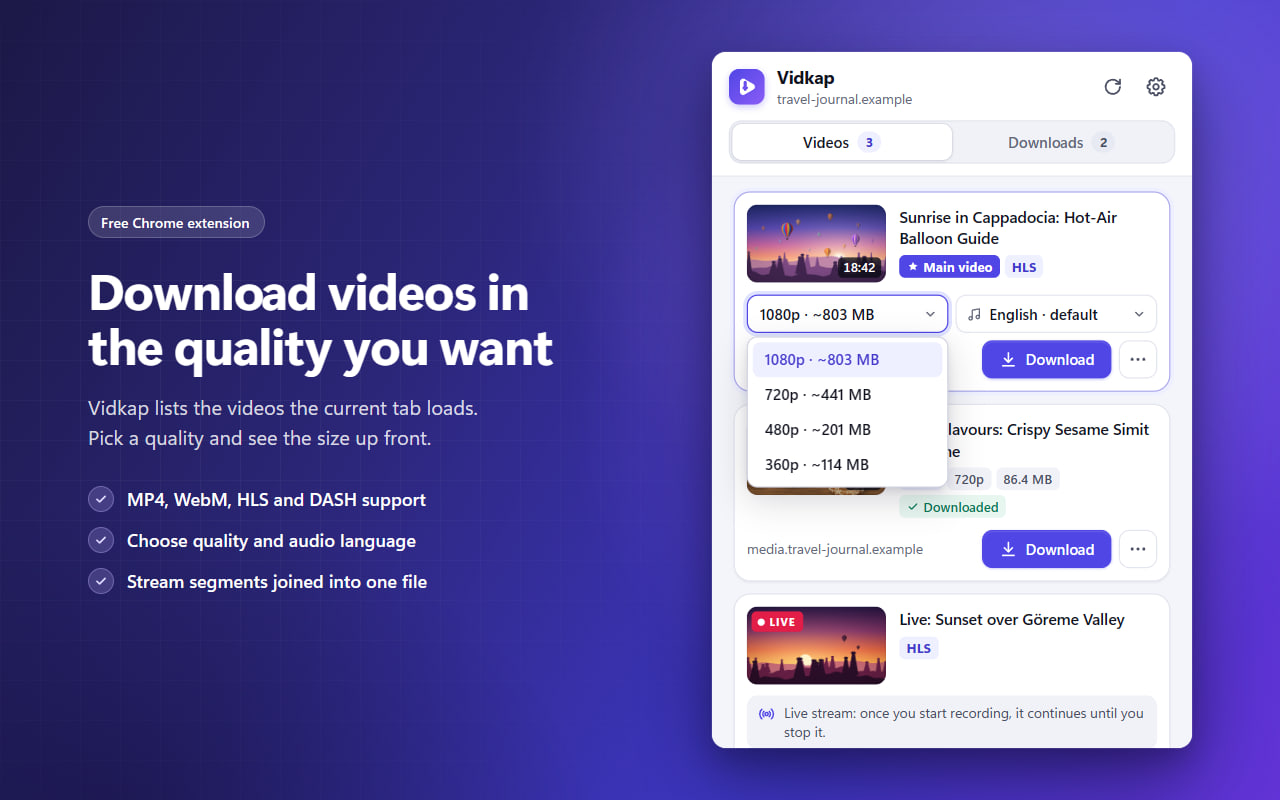
Vidkap lists the videos that the page in your current tab actually loads. Pick a quality, see the file size up front and download with one click; stream segments are joined into a single file.
- Platforms
- Google Chrome (desktop)
- Languages
- English, Turkish
- Developer
- FCS Apps
Screenshots
How to use
Up and running in a few clicks.
Play the video
Open the page with the video and start playing it. Many sites only load the video once playback starts.
Open Vidkap
Click the Vidkap icon in the toolbar or press Alt+Shift+D. You can also right-click a video and choose “Download this video with Vidkap”.
Pick a quality and download
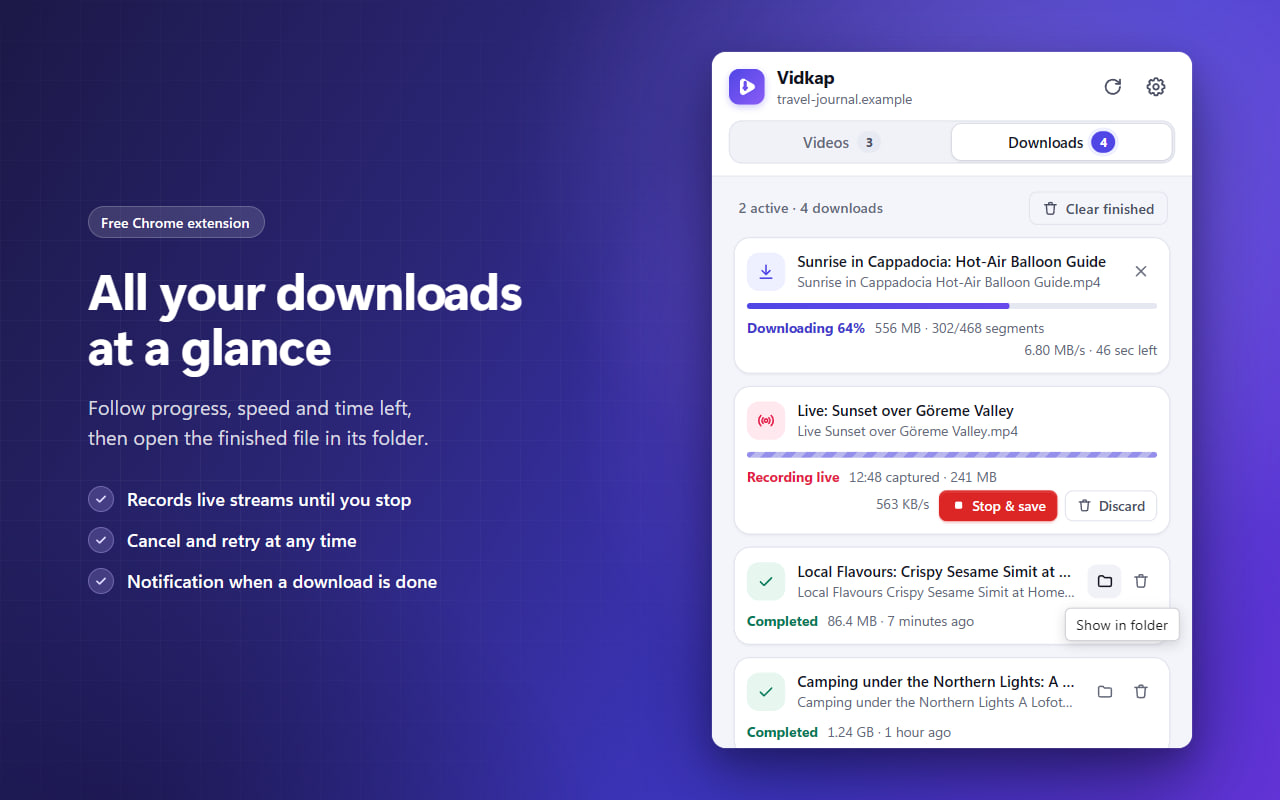
Follow the progress, speed and time left in the Downloads tab, and open the finished file with “Show in folder”.
Features
Everything you need, nothing you don't.
Finds the videos on the page
MP4, WebM and MOV files, HLS and DASH streams, and videos kept in the page's memory.
Pick the quality and audio
Choose the quality and audio track, with the file size when it's known. Streams are saved as a single MP4.
Player and live recording
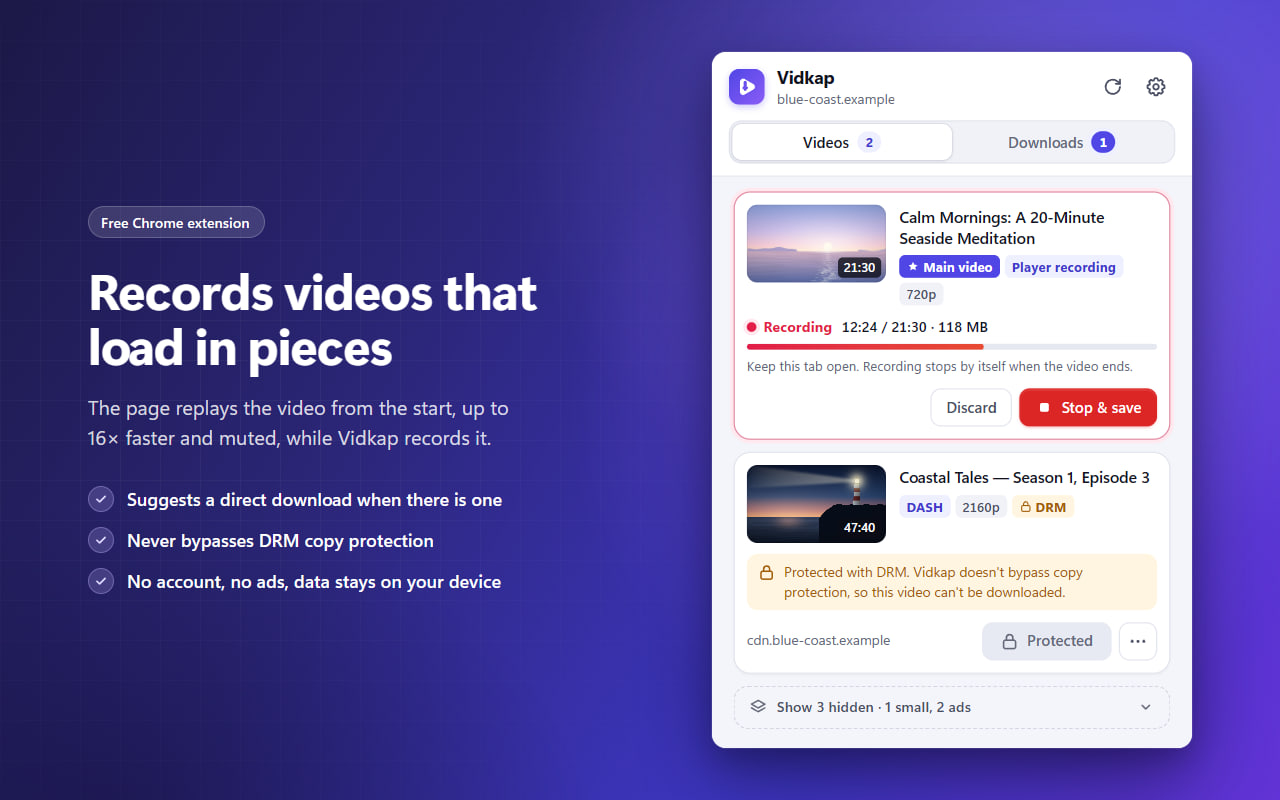
Records players that load video in pieces at up to 16× speed, and live streams until you stop.
Download manager
Progress, speed and time left; cancel, retry and “Show in folder”. A notification when it's done.
Make it yours
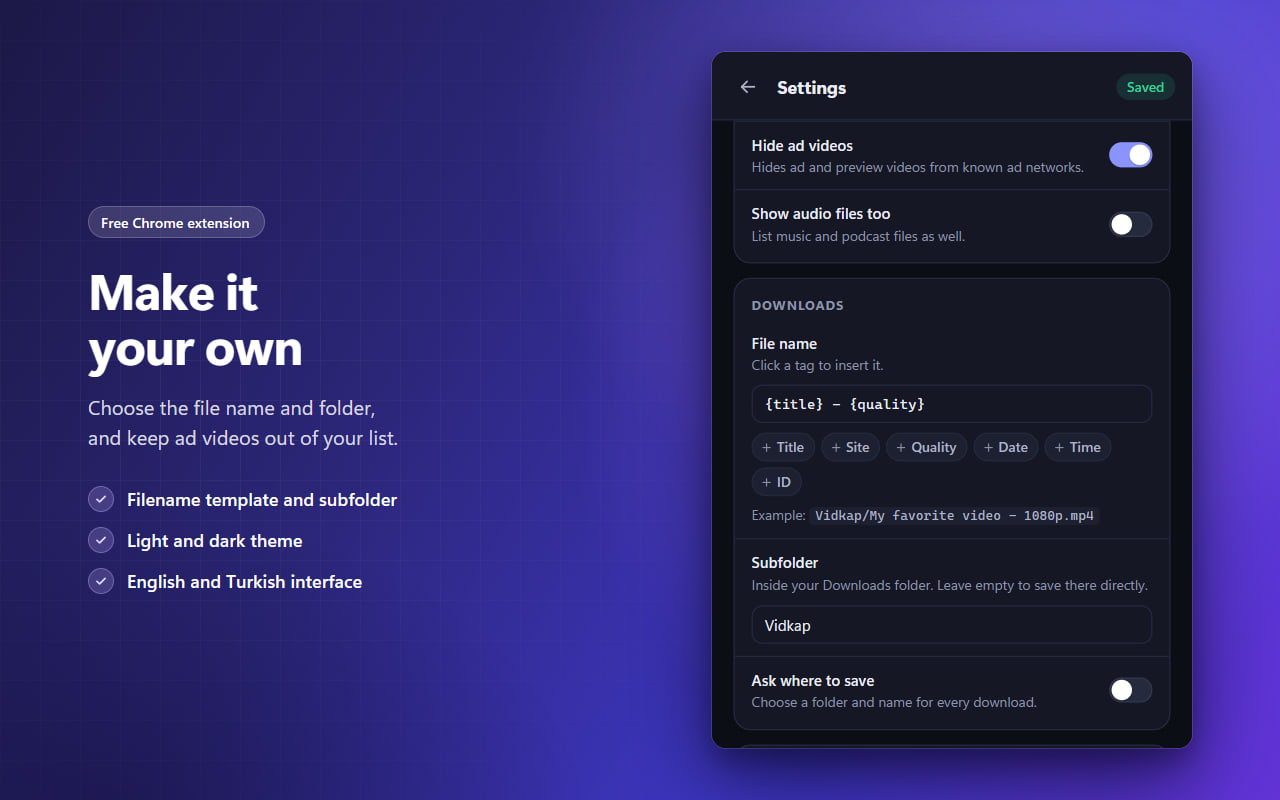
Hide small files, short clips and ads. File name template, subfolder, light and dark theme.
Private by design
No account, ads, analytics or tracking. Everything happens inside your browser.